I tried neovim for 2 years as a college student

quick disclaimer before you read: before you close this tab thinking it’s another “i switched to neovim and now i’m 10x productive” post, relax. i’m just a college student who got bored of VSCode, tried neovim, and somehow ended up staying. also, yes, i know it’s a text editor and not an IDE. i’m not going to fight you on that, i’m just going to talk about what happened when i actually used it.
why would you even do this?
VSCode was getting slow. Not unusably slow, but slow enough that I’d go make chai while a Flutter project loaded. Plus, I kept watching clips of devs (mostly ThePrimeagen) teleporting through their code without ever touching a mouse, and I just wanted to do that. That was literally the entire reason.
At first, it was genuinely awful. I couldn’t select text, accidentally entered insert mode constantly, and rage-quit back to VSCode daily.
Yes, I literally had to Google “how to exit vim.” I know it’s an old meme, but even after years of using it, I still find it funny because it’s 100% true.
I once spent 15 minutes trying to figure out how to close a single split. The answer was :q, the exact same command I used to close the whole editor. I was terrified it would close everything at once.
But as a college student, you have time you probably shouldn’t have. Between classes, I had hours to burn, so I kept forcing myself to use it.
Eventually, the awkwardness faded and the motions started feeling automatic. ciw to change a word, dd to kill a line, yap to yank a paragraph. My fingers just knew what to do without me having to think about it.
The moment I opened VSCode for a group project and instinctively pressed
Escthen typed:wto save, I knew my brain had been rewired.
the lazyvim honeymoon phase
I started with lazyvim because everyone recommends it as a starting point. And honestly, it is brilliant for beginners. You get LSP, completion, telescope, treesitter, a file explorer, and 50 other things working right out of the box. It felt like VSCode but faster and cooler.
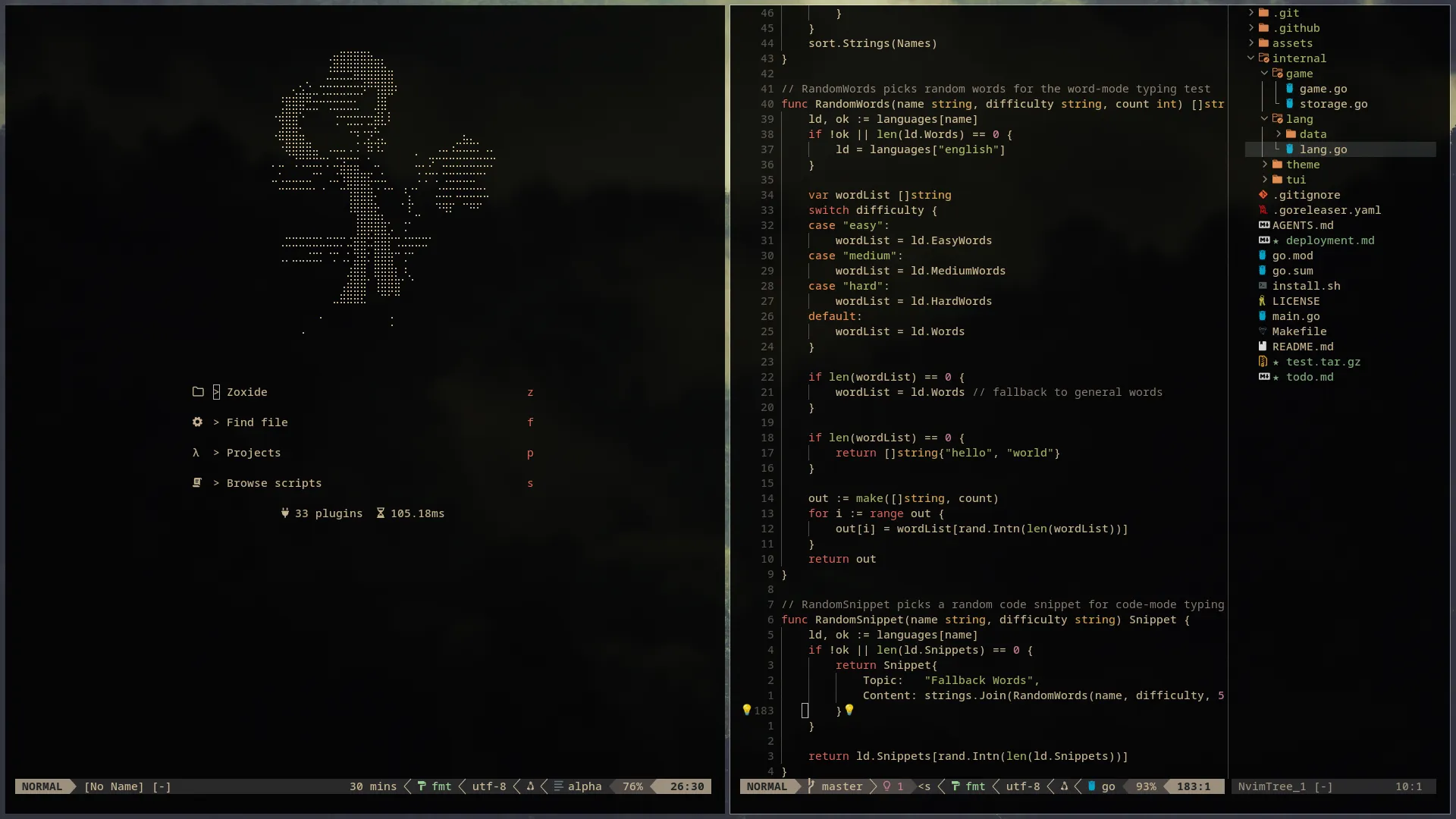
I used it for a full year. For most of that time, it was perfect. But eventually, I started hitting walls. I wanted to change how a keybind worked, but I had absolutely no idea how to actually edit anything. When something broke after an update, I had no idea what changed because I didn’t write most of the config.
It was like living in someone else’s house. Everything works, but you can’t rearrange the furniture without accidentally breaking a pipe in the wall.
So I did the thing every neovim user eventually does. I rewrote the whole thing from scratch. It took an entire weekend of trial and error, running :checkhealth over and over, and reading endless plugin readmes. But now, there’s no black magic in my config. I chose every single line myself, so when things inevitably break, I know exactly where to look.
That shift from “it works and I don’t know why” to “it works and I know exactly why” is genuinely one of the best feelings in programming.
a few controversial choices
I’m not going to list out every single plugin I use. That defeats the purpose of this post, and if you’re curious, you can just check out my actual config on GitHub. But I did make a few deliberate decisions along the way that people usually question.
First up: I don’t use telescope. I know, everyone uses telescope. It’s the default fuzzy finder in basically every neovim starter config. But I went with fzf-lua instead and haven’t looked back.
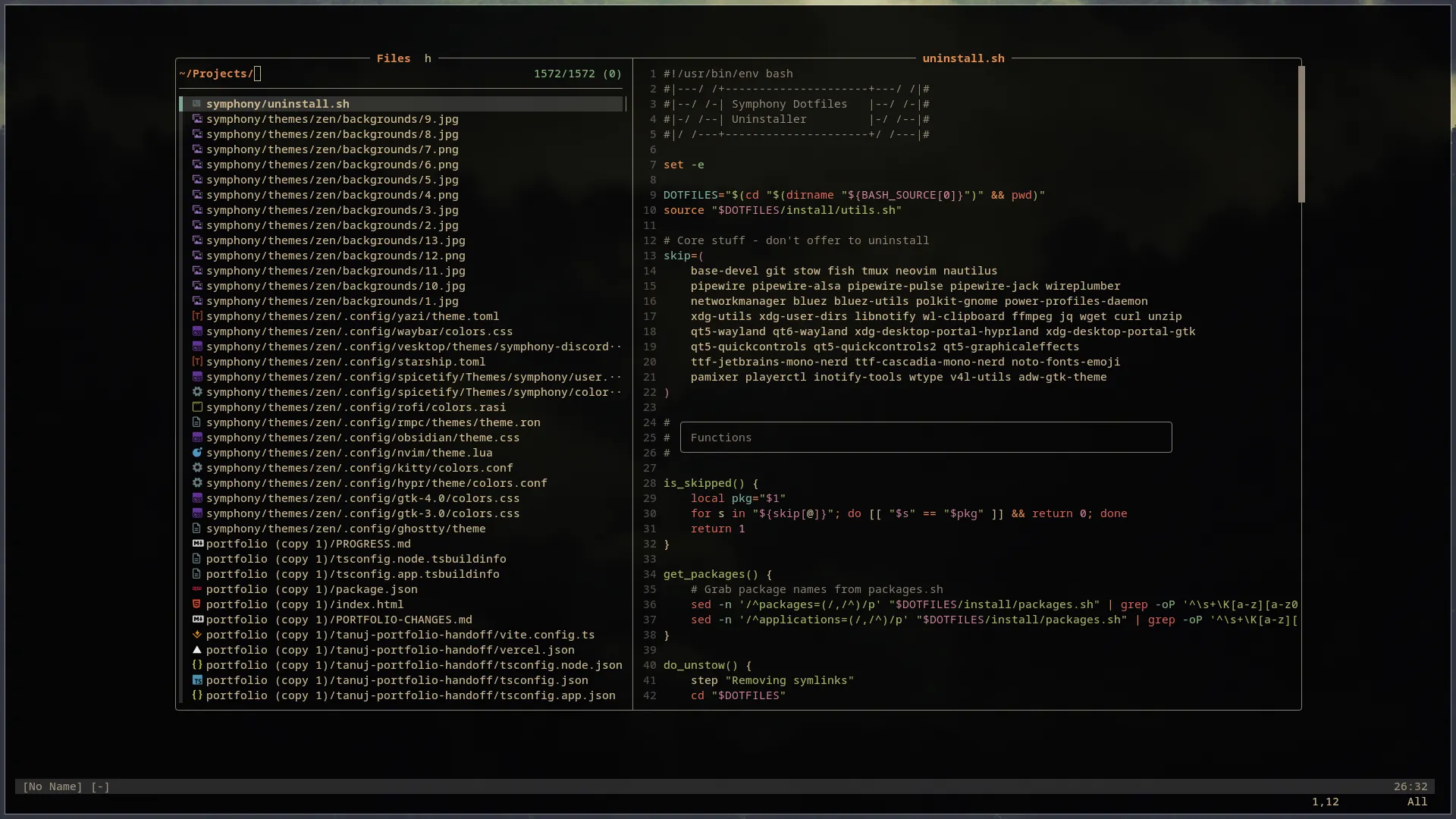
Why? It’s just faster. Telescope is great, but on big projects, fzf-lua feels noticeably snappier and has way fewer dependencies. It uses native fzf under the hood, which is a C program optimized for decades.
I also use a dashboard. Some power users hate them and think they’re unnecessary bloat. But honestly? Sometimes you just want to open your editor and see something cool. It’s purely motivation to start coding, and for me, that dashboard is exactly that.
And of course, when you use an editor long enough, you eventually start building tools for it (okay, not everyone, but crazy people like me do). I ended up writing my own plugin, sloat, to handle floating terminals exactly the way I wanted. Building sloat actually made Lua one of my favorite languages. It’s just so incredibly simple to write. Huge thanks to TJ DeVries for his YouTube tutorials on how to make a plugin from scratch; without them, sloat wouldn’t exist.
the theme situation
I’m a gruvbox guy. Specifically gruvbox-material with the hard background. It’s warmer than vanilla gruvbox, and no matter what else I try, I always end up coming back to it.
But here’s something I never expected to say: I actually use a light theme during the day. Someone on Reddit said it’s better for your eyes to use lighter themes in daylight and darker themes at night. I thought it was a joke. I tried kanagawa lotus for a week during daytime and they were right. My eyes genuinely feel less strained. I still switch back to gruvbox the second the sun goes down, but I’m officially a daylight light theme convert now. Don’t tell anyone.
no, you don’t have to use neovim
Look, I’m not one of those people who thinks everyone should use the tools I personally like. I have friends who always prefer a GUI over a CLI or TUI, and they are honestly way more productive than I am. Using Neovim isn’t going to magically make you the GOAT or something. It’s strictly about personal preference.
There are so many genuinely wonderful editors out there right now. Zed is really fast and the multiplayer editing is cool. Helix has arguably more intuitive motions than vim. JetBrains IDEs are incredibly powerful if you’re doing Java or Kotlin. And I hate to say this, but Emacs is also a legitimate option. There, I said it. It physically hurt to type that, but it’s true.
What I will strongly recommend regardless of your editor is to learn vim motions.
Most major editors support them now. VSCode has a vim extension, JetBrains has IdeaVim, even Zed has a vim mode. Once your fingers learn hjkl, ciw, dd, and visual block mode, you are faster in any editor. It’s the most transferable skill in the developer world.
how do you actually build a config?
If you’re considering jumping in, here is the honest path that worked for me:
- Start with someone else’s config. LazyVim, NvChad, AstroNvim, whatever catches your eye. Use it daily for a while. Actually learn what every part does. Don’t just install it and move on. Spend a weekend reading through the config files and understanding why each plugin is there.
- Start eliminating. Go through your plugin list and ask if you actually use it. For every plugin you can’t justify, remove it. Only keep things you genuinely need.
- Start replacing. If a plugin does 10 things and you only use 2, find something lighter. That is exactly how I ended up with mini plugins instead of heavier alternatives, and fzf-lua instead of telescope.
And then one day you look at your config and realize every single line is something you chose and actually understand. That’s when you can finally say “I use neovim btw” with a straight face.
conclusion: honestly, just writing this post gave me goosebumps because i’m that excited about it. but if you skipped to the end and didn’t read any of this: just learn vim motions, man. even if you have zero interest in actually switching editors, just learn the motions.